Simple Steps to Purchase and Download Your Course
This page explains how to buy a course, complete checkout, receive your order, and download the files. Follow the steps below and contact support if you need any help.
Purchase First
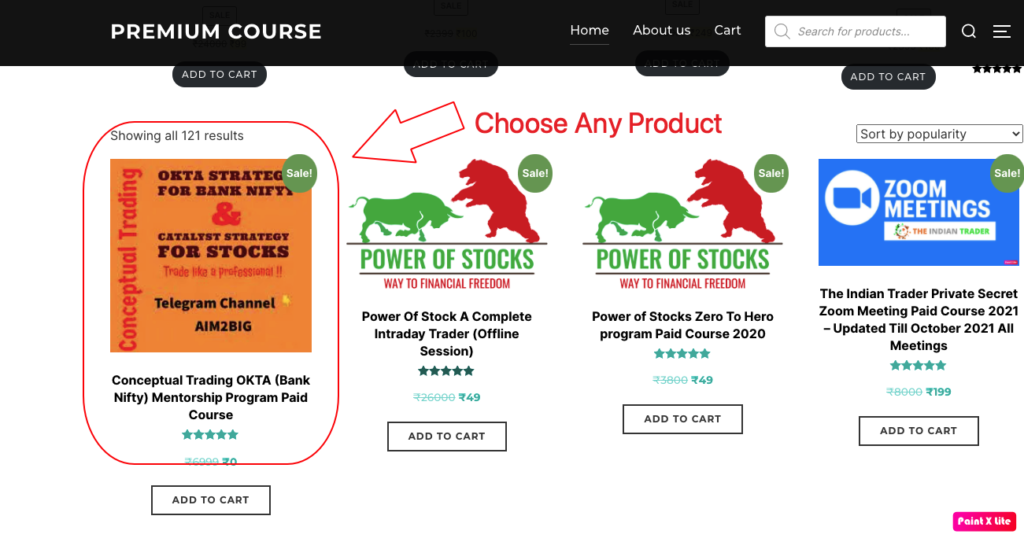
Open the course page, review the details, and add the product to your cart.
Complete Checkout
Go to cart, continue to checkout, fill your details, and place the order.
Download Your Course
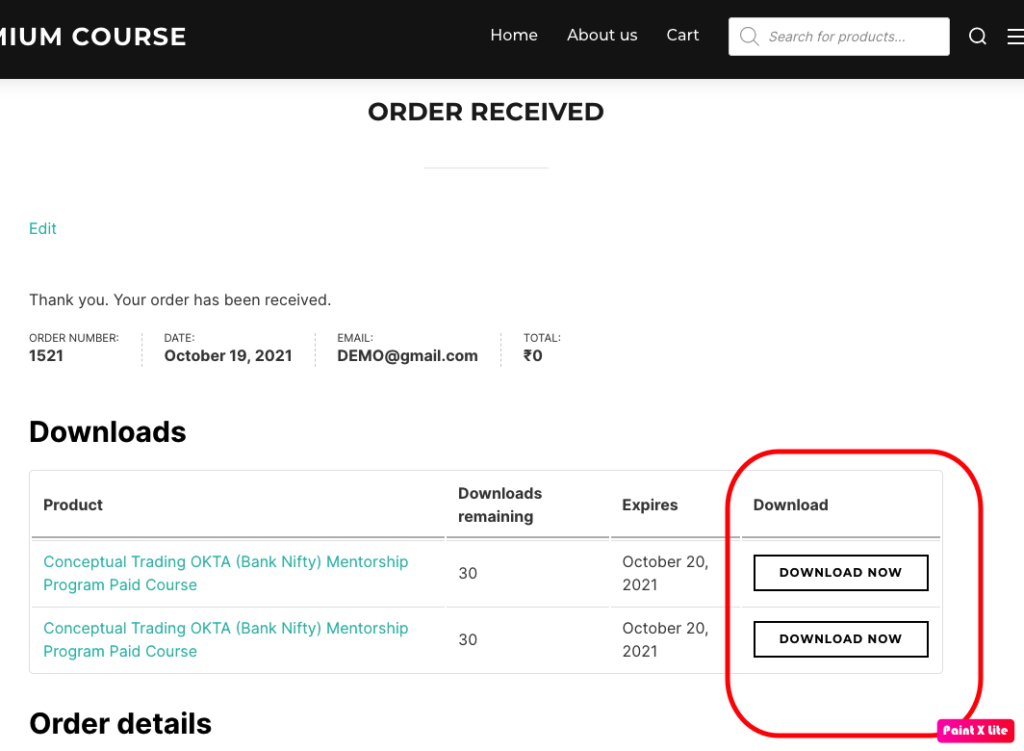
After successful payment, use the download button on the order page and also check your email.
Step-by-Step Guide
Follow these steps in order. Your existing screenshots below can remain on the page for extra help.
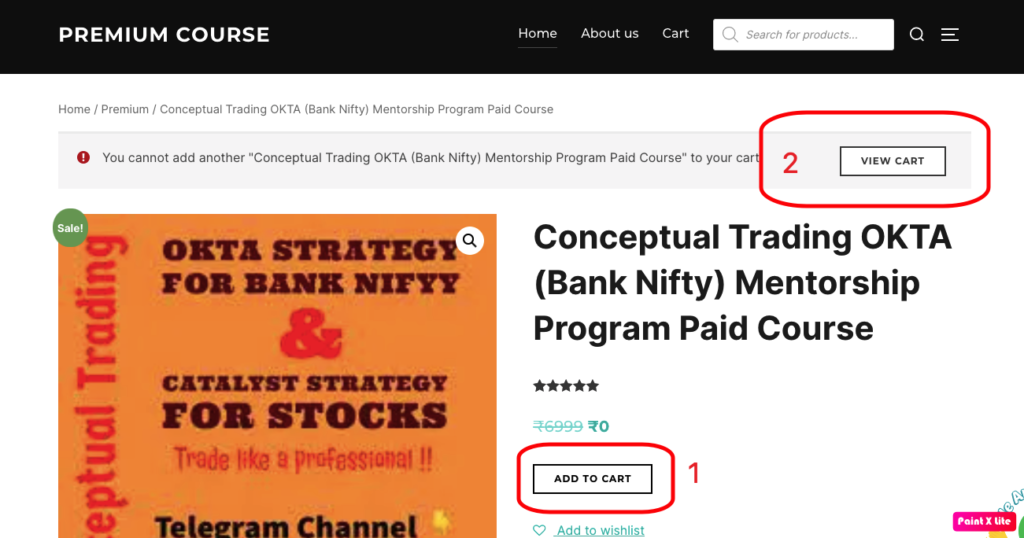
Add to Cart
Select the course you want and click the Add to Cart button on the product page.
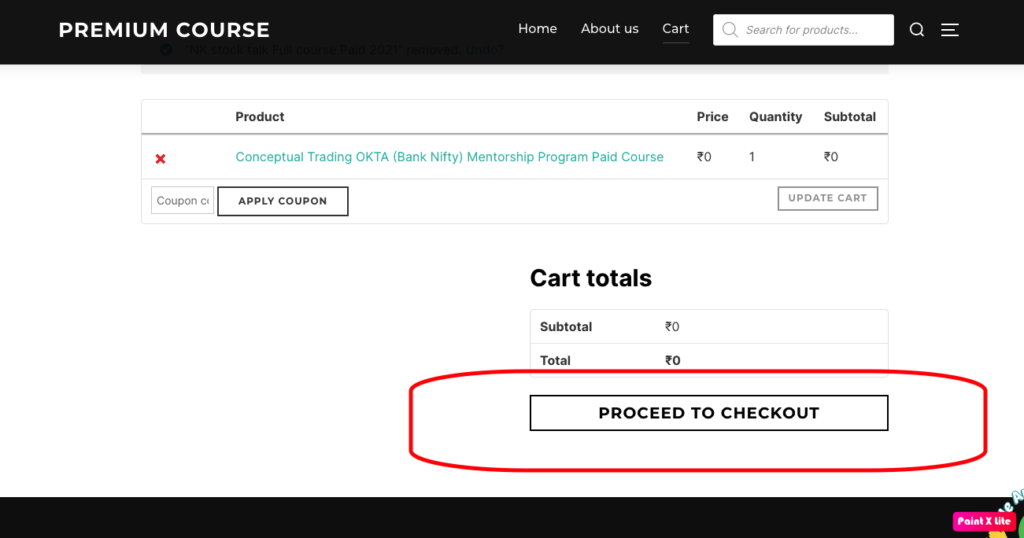
Open Cart
Review the product in your cart and click Proceed to Checkout.
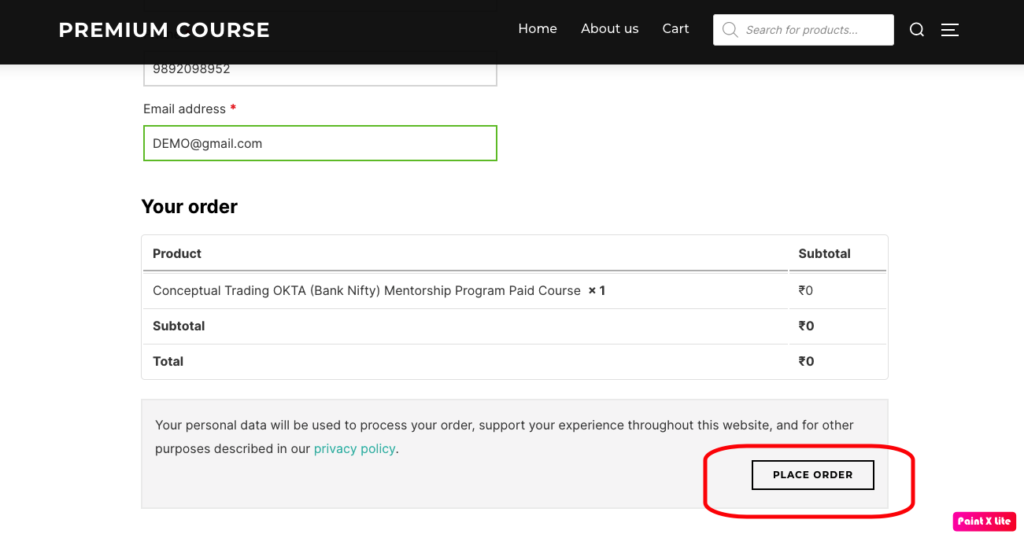
Place Order
Fill in your required details, confirm the order, and complete the payment process.
Download Files
After the order is received, click the Download button on the order page.
Important Notes
- Use a valid email address during checkout
- Also check your email after successful payment
- If the email is not visible, check spam or junk folder
- If you still do not receive the download link, contact support
If You Face Any Problem
- Make sure payment was completed successfully
- Check the order received page for download access
- Check your email inbox and spam folder
- Use live chat or contact page if you still need help
Choose Any Product
__________________
Add To Cart
__________________
Checkout
__________________
Payment
__________________
After Payment Successful Download The Course Instantly.
__________________
Also Check your Email to Download The Course.
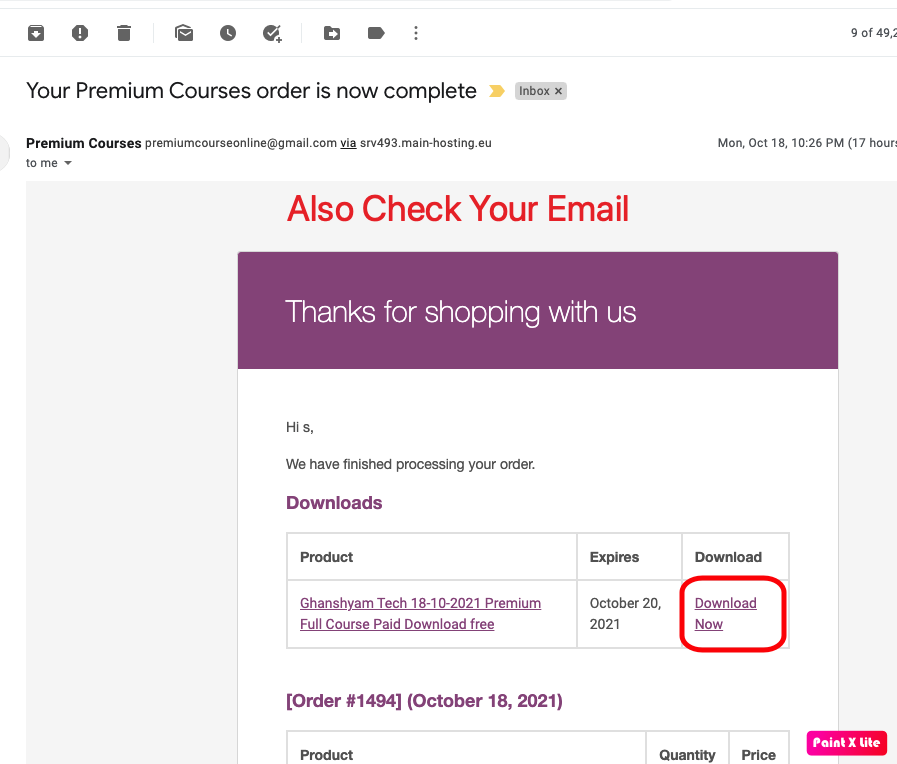
Immediately after payment. We will send the link to your mail.